Mobile Guidelines
  1. Ensure website navigation is clearly labelled with clear language or appropriate use of icons that accurately represent the page and follows an intuitive structure.
  2. Avoid the use of pop-ups that interrupt user flow and focus and instead display that information within the relevant page of the website.
  3. Ensure page structure is clear with content being contained in the relevant page and section and not dispersed across different pages when unnecessary.
  4. Ensure buttons are clearly labelled with either a clear and appropriate icon or clear language to avoid user confusion.
  5. Ensure buttons are sufficiently large and are effectively spaced to minimise user mis-clicks.
  6. Ensure users can customise key visual and content features such as an adjustable colour scheme or the ability to condense text.
  7. Ensure videos do not play immediately on website launch, instead a video must require user input to play.
  8. Ensure there is adequate spacing of all website elements and adapt layout from desktop if required to ensure the website is not too visually cluttered.
Desktop Guidelines
  1. Ensure website navigation is clearly labelled with clear language or appropriate use of icons that accurately represent the page and follows an intuitive structure.
  2. Avoid the use of pop-ups that interrupt user flow and focus and instead display that information within the relevant page of the website.
  3. Ensure page structure is clear with content being contained in the relevant page and section and not dispersed across different pages when unnecessary.
  4. Ensure buttons are clearly labelled with either a clear and appropriate icon or clear language to avoid user confusion.
  5. Ensure users can customise key visual and content features such as an adjustable colour scheme or the ability to condense text.
  6. Ensure videos do not play immediately on website launch, instead a video must require user input to play.
Accessibility Widget Animation Tutorial
Inaccessible Website Examples
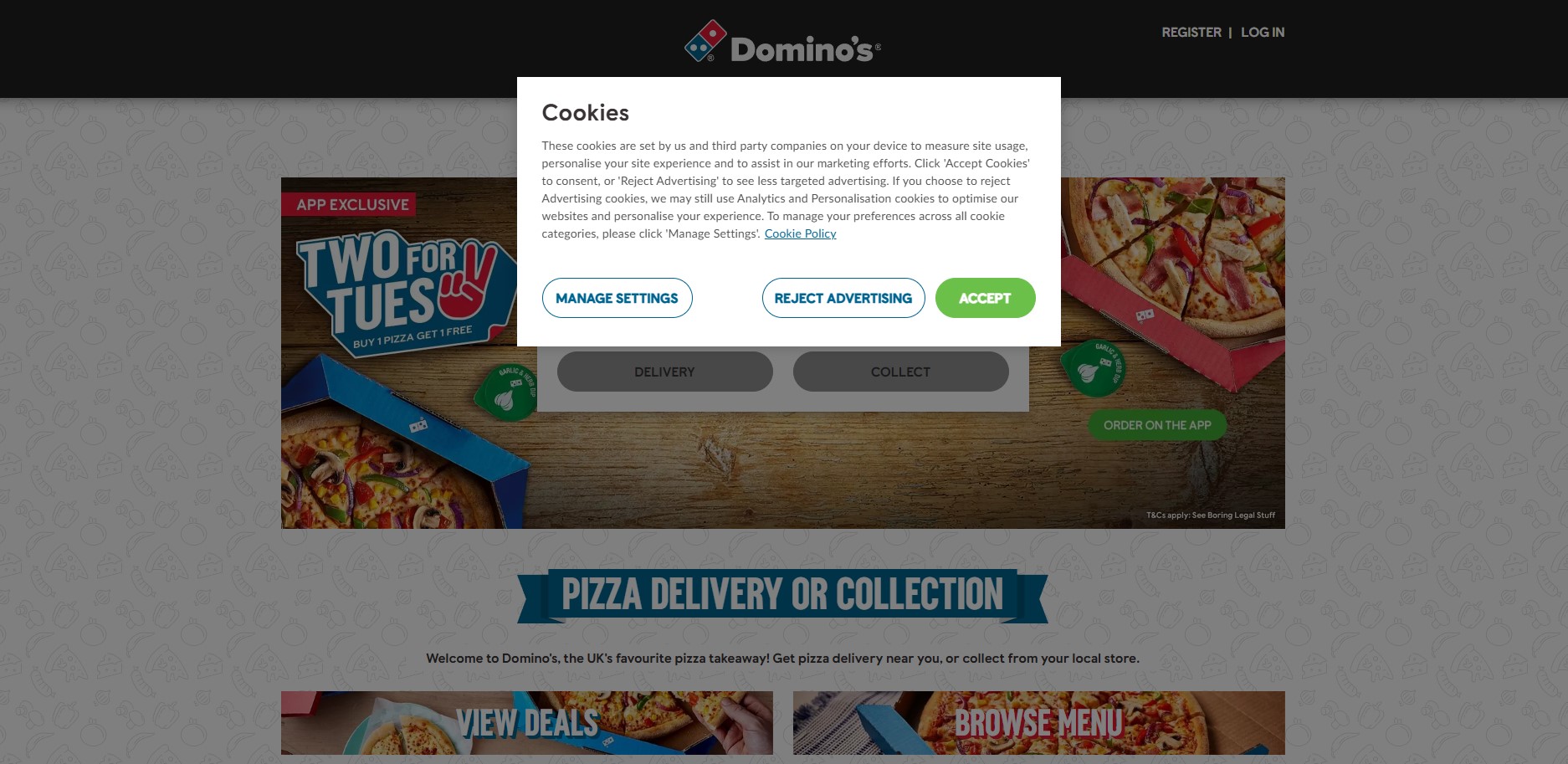
Domino's Website

The Domino's website has been identified as having accessibility and usability issues, most notably their use of disruptive features such as invasive pop-ups that disrupt the user's flow.
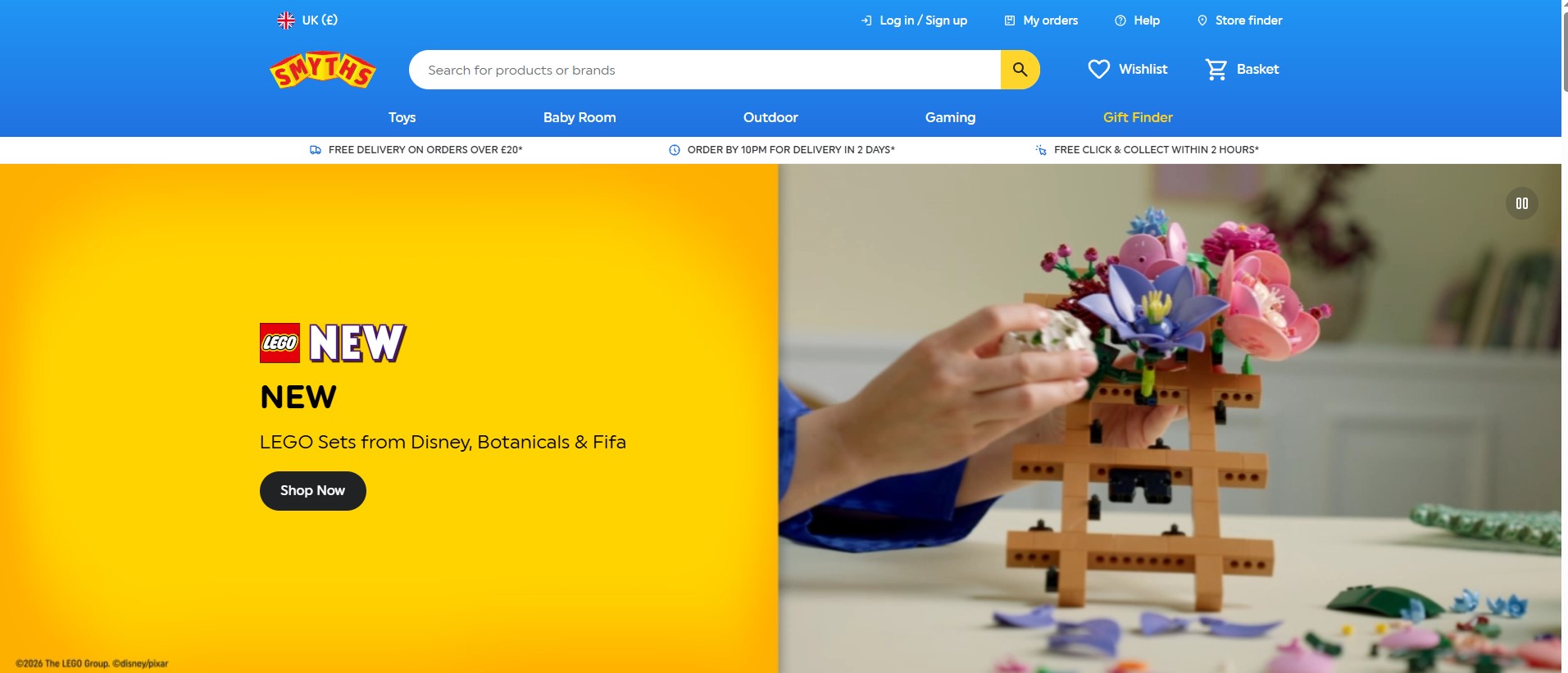
Smyths Toy Superstores Website

The Smyths Toy Superstores webiste has been identified as having accessibility and usability issues, most notably their use of a potentially overwhelming colour scheme with many vibrant colours and their inclusion of videos that play without user input.

Accessible Website Example
Patagonia UK Website

The Patagonia website has been identified as having good levels of accessibility with their website featuring clear and intuitive navigaton, an appropriate colour scheme with muted tones and being in full compliance with the WCAG 2.1 guidelines.